
This looks like your phone
iPhone or iPad
- Open demo.pintoit.uk in Safari.
- Tap Share, the square with an arrow.
- Choose Add to Home Screen, then Add.
Site evidence for passive fire protection
PinToIT puts each record on the drawing, with photos, time and location, so handover is a download, not a hunt.
Install
PinToIT installs from the browser and then opens like any other app, full screen, from its own icon.
This looks like your phone
This looks like your phone
This looks like your computer
Invited already? Choose Create account with the email address your invitation went to.
The app
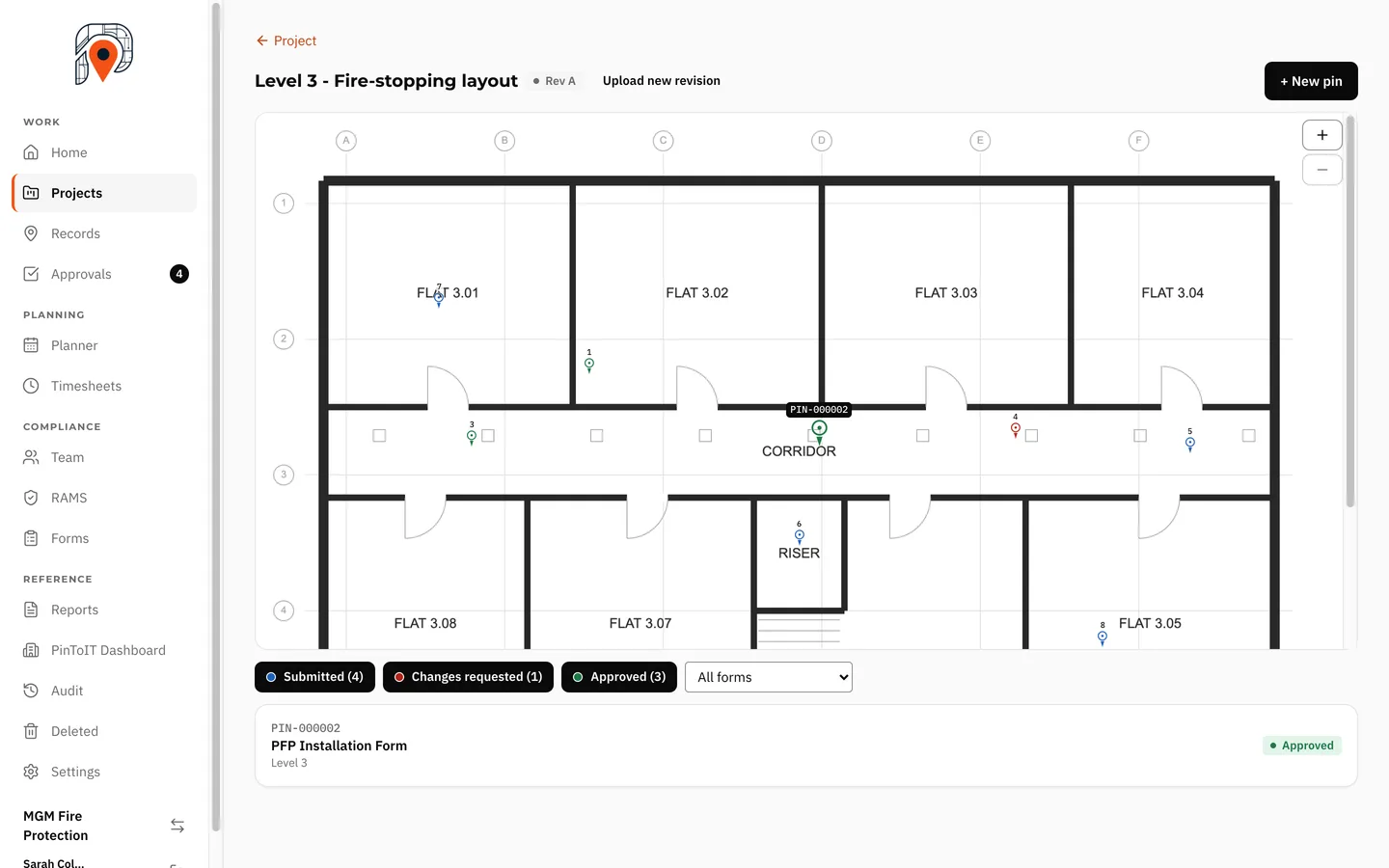
Upload drawings by building and floor. Every record sits on its drawing as a pin, coloured by status, with filters for status and form.
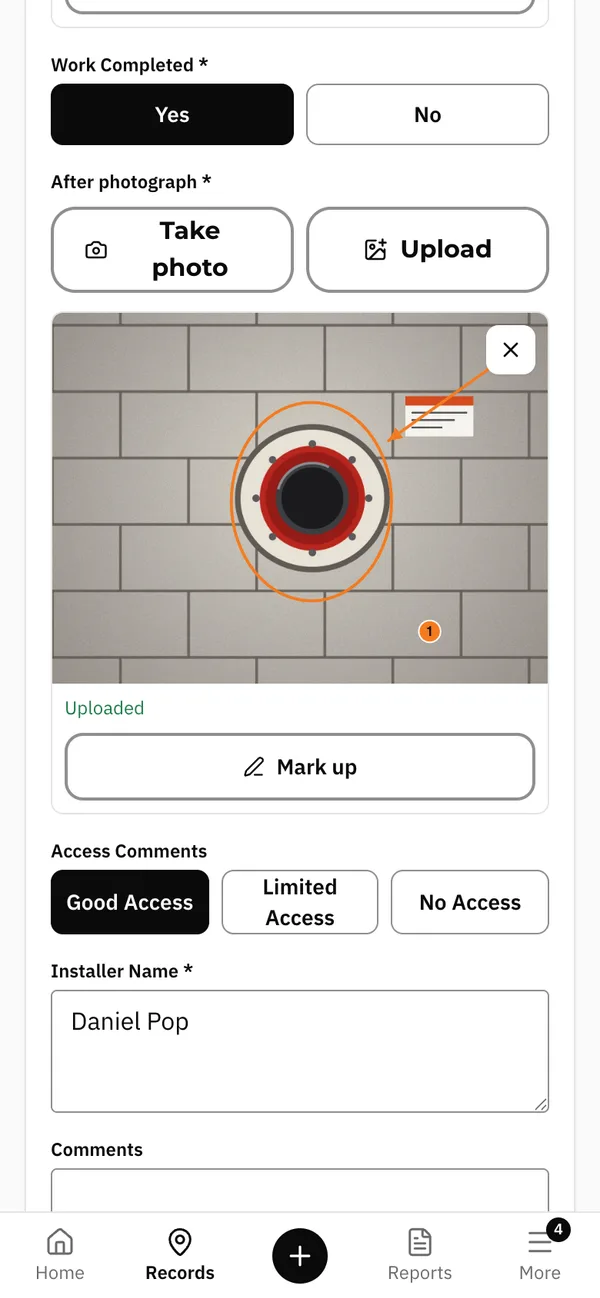
Build installation, survey and quality check forms with exactly the questions you need. Changing a form never changes a finished record.
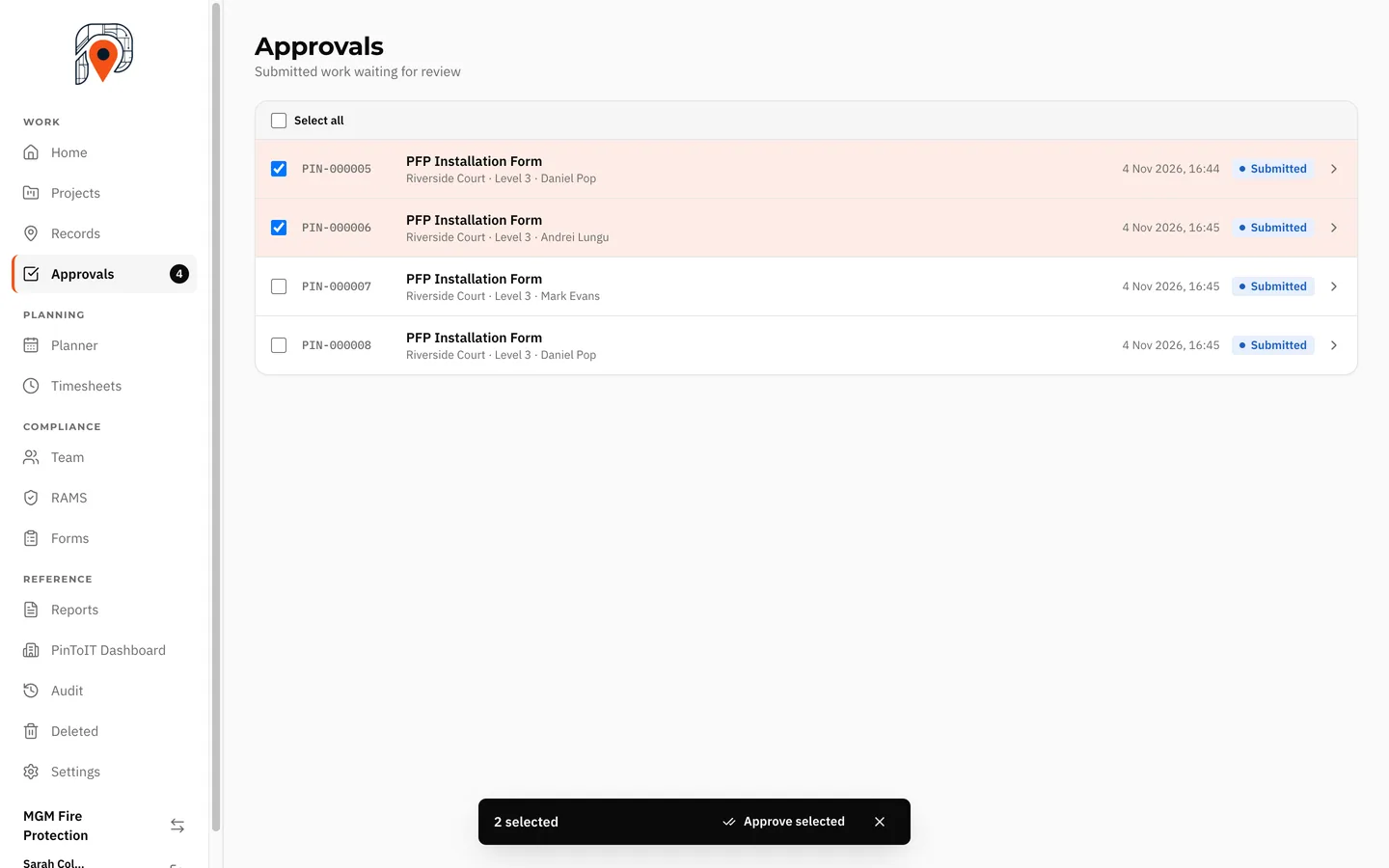
The office approves records together, or sends one back with a comment saying what to fix.
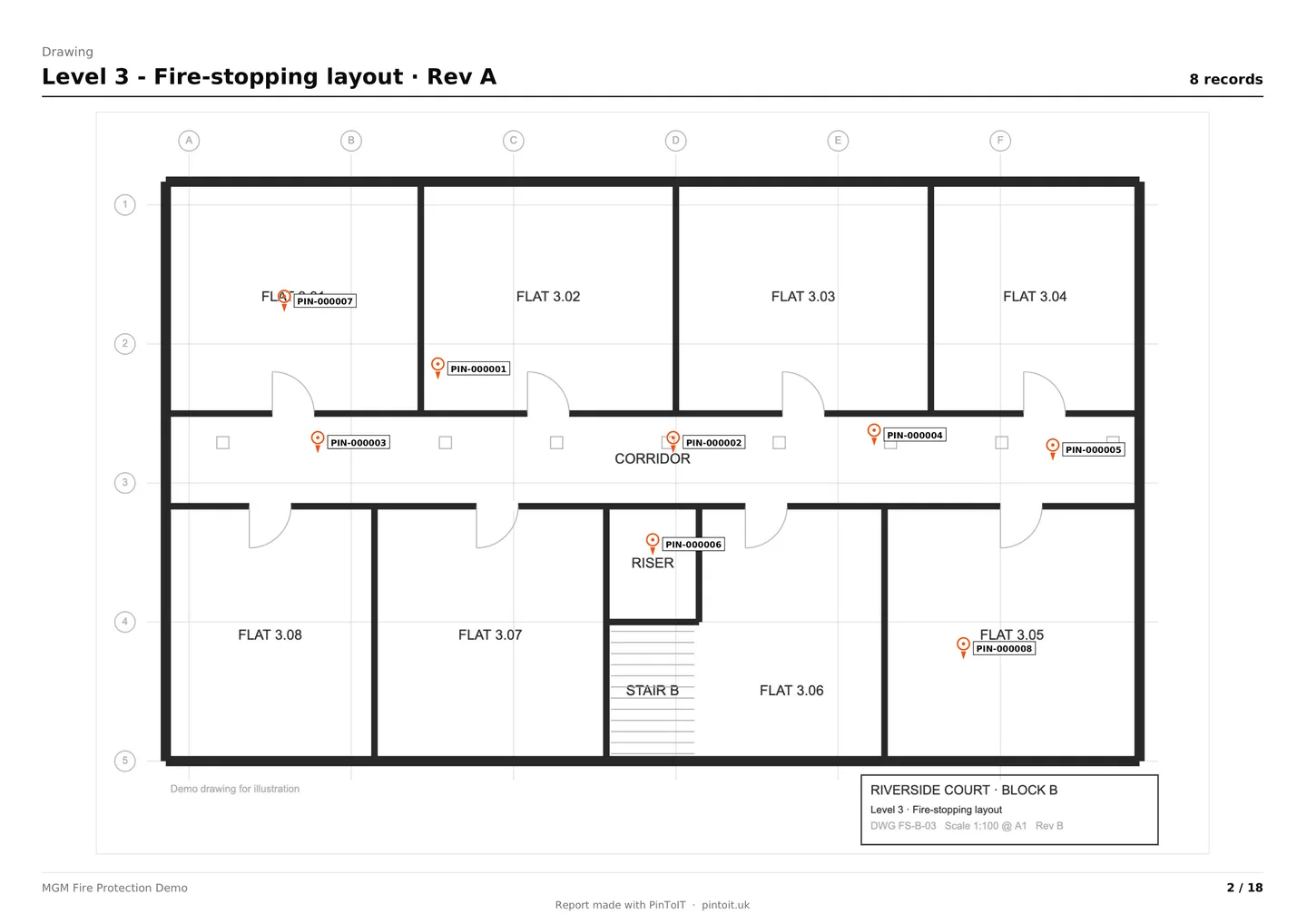
PDF and Excel built from the records you already have, with your company's details and logo on the cover.
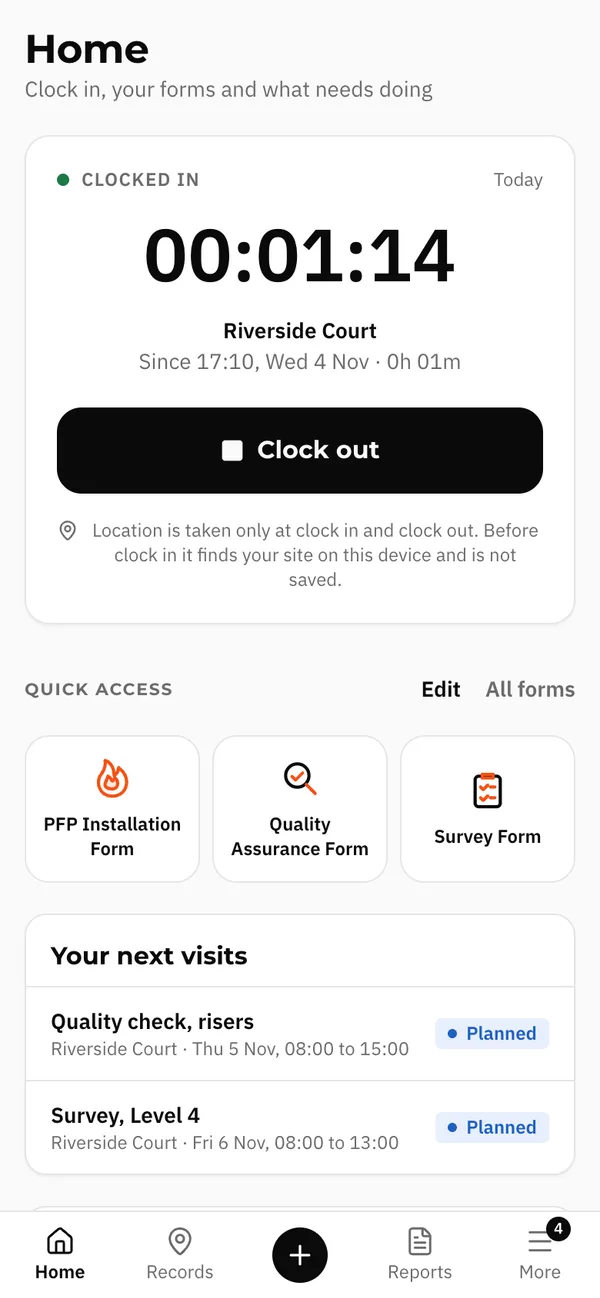
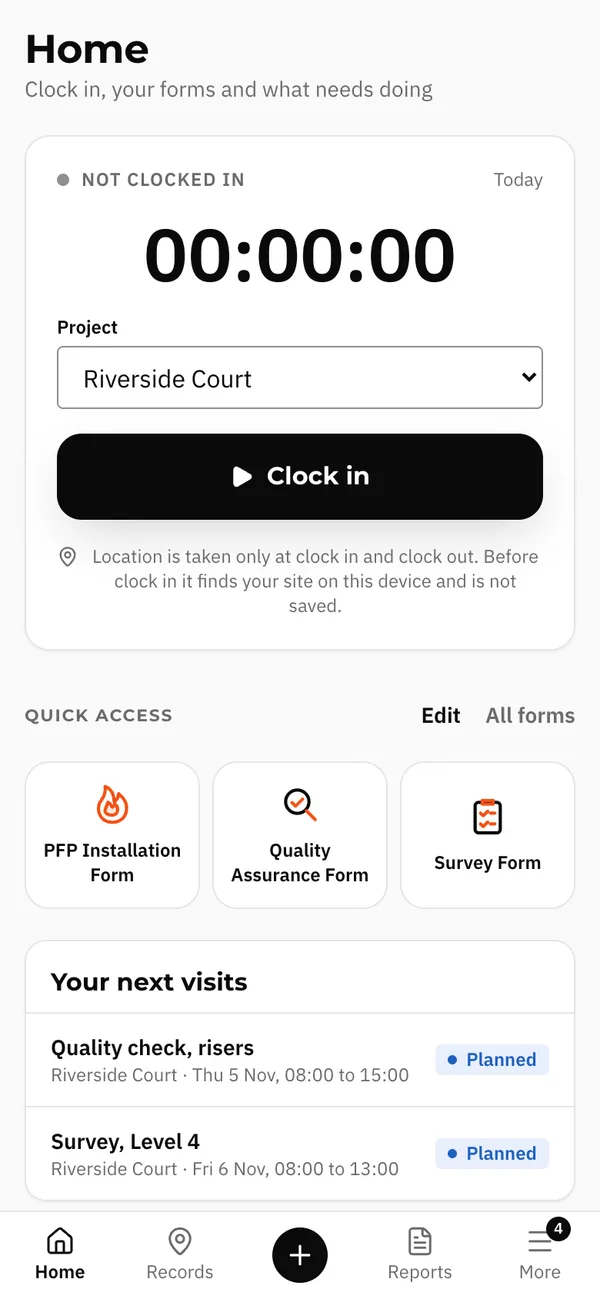
Clock in and out on the phone. Today's planned site is offered first, then the location picks the nearest one.
Upload the RAMS for each project. Operatives sign it on the phone before they clock in or record work.
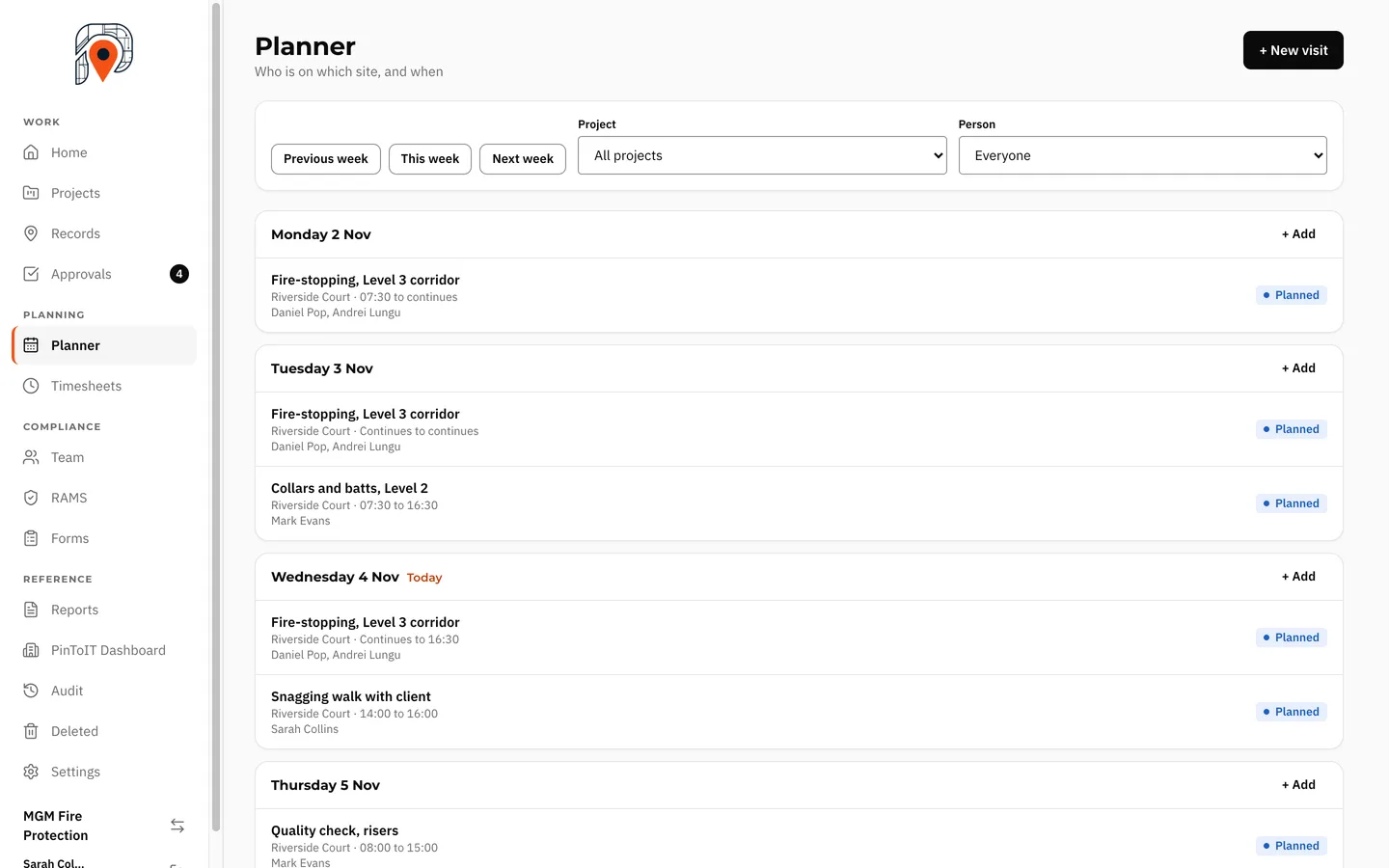
Plan visits by week, across several days, with the right people on the right project.
How it works
Tap the drawing where the work was done. The pin stays there, on that revision, and can be dragged if it needs moving.
Answer the form and add photos, marked up where it matters. Time, location and the installer's name are saved with the record.
The office approves it, or returns it with a comment. The operative sees what to fix on their Home screen.
Export PDF or Excel for a project or a phase, with every pin shown on its drawing.
On site
Big buttons, few taps and no lost work, even where there's no signal.
Work waits safely on the phone and sends itself when signal returns.
If the phone rings or the app closes, what was entered is kept.
Clock in, today's site and your three most used forms, all on Home.
Why it matters
In the office
Approvals shows a count of what's waiting, so nobody has to ask for an update.
Split a large project into phases, report each one, and close it when it's paid.
Someone who works for more than one company chooses who they're working for today.
A client account reads its own project, locations and reports, nothing else.
Security
Who made it
PinToIT started inside a working passive fire protection company, from the records our own teams needed on site and the questions clients asked at handover.
PinToIT records evidence. It does not certify work.
Questions
No. PinToIT installs from the browser and opens from your home screen like any other app.
Work is saved on the phone and sent when signal returns. Drawings for active projects are kept on the phone.
An admin invites each person by email and chooses their role: admin, manager, supervisor, operative or client.
Each company's data is separate, and each person sees what their role allows.
Yes, if you give them a client account. It reads its own project, locations and reports, nothing else.
No. PinToIT records evidence. It does not certify work or guarantee that it meets any standard.
PinToIT is still being developed and has not been released commercially. Features may change, and there are no prices yet.
Install it now and try it on one room. Three taps today, one record you can show tomorrow.
Demo version. Features may change.